For rhinoplasty consultations
See the conversation, together.
Visage3D gives each surgeon an independent clinic workspace for patient records, guided photo capture and interactive 3D consultation previews — and gives patients control over who sees their case.
Simulation for consultation. Results are not guaranteed.
How it works
- 01
Guided photo capture
Patients or clinic staff upload front, 45° and profile photos with clear guidance. Files are checked and stripped of location data.
- 02
Review in the 3D Studio
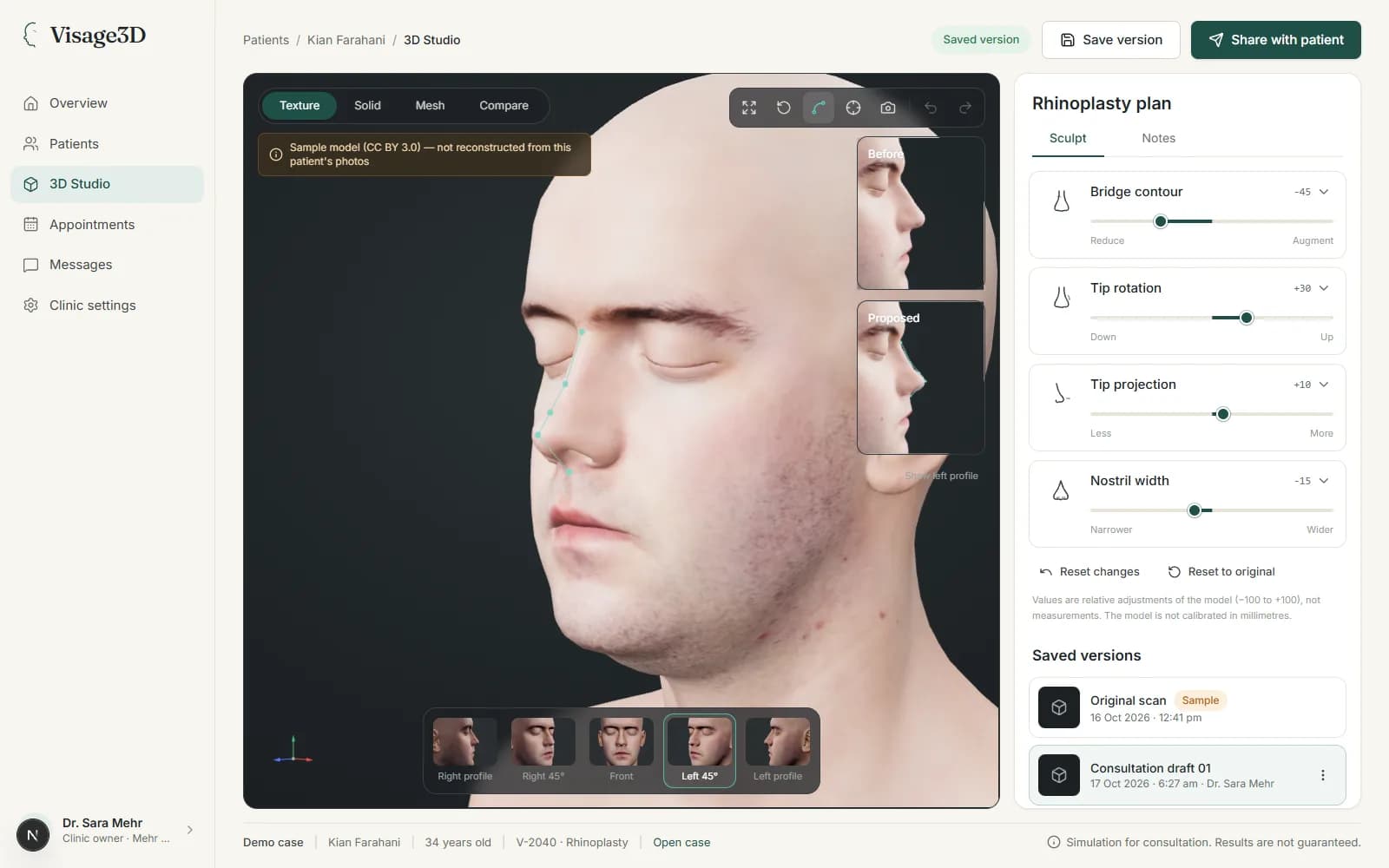
Surgeons adjust bounded controls — bridge contour, tip rotation, tip projection, nostril width — on the 3D model and save named versions.
- 03
Share previews deliberately
Only versions a doctor explicitly shares reach the patient, with a before/after comparison and the consultation disclaimer.
Patients stay in control
You choose the clinics
A case is visible to a clinic only after you share it from your portal, with a recorded consent.
Revoke at any time
Revoking access stops the clinic reading your photos and models immediately.
Clinics stay separate
Each clinic's notes, proposals and messages are private to that clinic. One clinic never sees another's.
What Visage3D is not
- It is not a prediction of surgical results, a diagnosis or a validated surgical plan. Previews support the consultation conversation.
- It shows no millimetre measurements: models are not calibrated, and no measurement method has been validated.
- Without a configured reconstruction service, demo cases use a clearly labelled sample head — never presented as a model of the patient.
Start with a case or a clinic workspace
Patients can create a free account and share cases with verified clinics. Doctors apply for a workspace and are verified manually.